Blood Sugar Diary for Diabetes
CardsMedical
4.5144.00 Reviews
- Version
- 1.3.0
- Installs
- 5.00M
- Age Rating
- Everyone
Screenshots
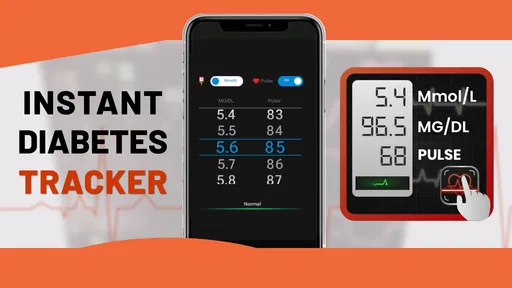
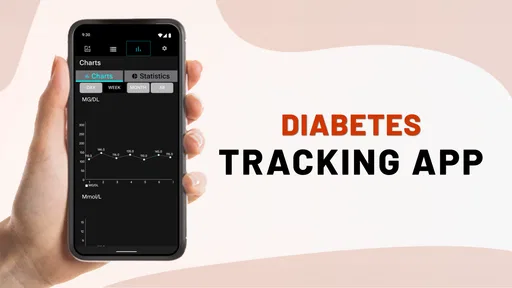
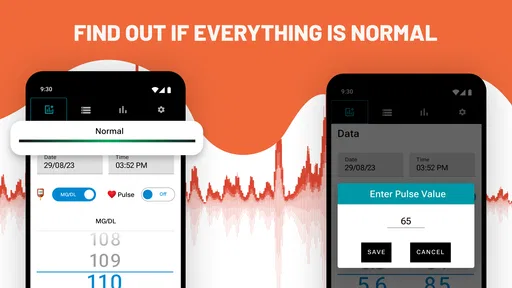
Our Review of Blood Sugar Diary for Diabetes
 Analysis by Appyee
I tend to judge a blood-glucose diary by a simple question: does it make the small, repeated job of recording readings easier without making the person using it feel lost? That matters whether someone is newly learning a routine, has years of experience, or is helping a family member keep track. Blood Sugar Diary for Diabetes is a medical app from Cards, and its focus is keeping glucose readings and related notes together. I see its main value in making a personal record easier to review, rather than replacing a meter, a clinician, or a care plan.
Readability and navigation in everyday use
The app’s straightforward logging approach is a sensible fit for a task people may need to repeat while busy or distracted. A useful diary should let someone enter a reading without having to reconstruct the whole day first. Notes can add context that a number alone cannot provide: a meal, activity, a missed routine, or simply something the person wants to discuss at an appointment. I would keep those notes short and consistent, so that later comparisons remain useful instead of turning into a diary that is difficult to scan.
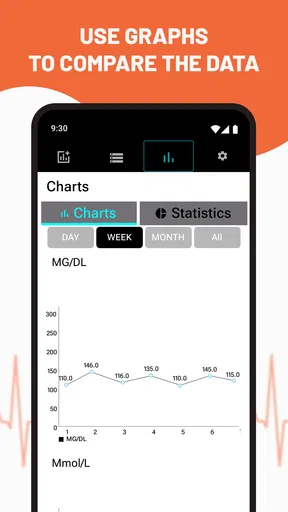
For a person who prefers looking at trends rather than a long sequence of entries, visual summaries can make records easier to discuss. They are most useful as prompts for questions, not as a diagnosis. A pattern that appears in a chart still needs to be interpreted in light of the person’s treatment and circumstances. I would avoid changing medication or meals solely because a graph seems to suggest a cause; the record is a tool for reflection and conversation with a healthcare professional.
Motor and sensory considerations
A compact logging workflow can reduce the amount of typing involved, which may be welcome when entering readings regularly or when using a phone one-handed. But short interactions do not automatically make an app comfortable for everyone. Small controls, screen glare, visual fatigue, tremor, or difficulty reading chart labels can all make phone-based tracking harder. I recommend trying a few entries in the conditions where the app will actually be used, rather than assuming it will feel equally easy at home and on the move.
Reminders can help someone who benefits from a nudge, but they can also become noise if their timing does not match the person’s routine. I would set them around an existing habit, such as a regular break, and review whether they are genuinely helpful. A reminder should support an agreed monitoring plan, not pressure someone into taking readings at times that have not been recommended for them.
Situational access and practical routines
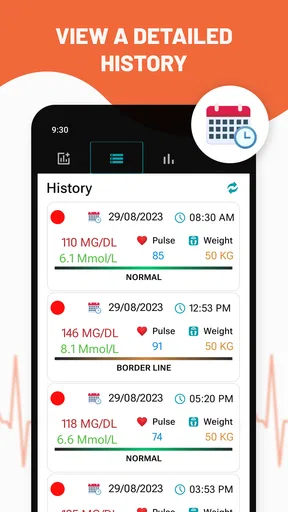
One realistic use is a person checking a reading at home, entering it while the result is still in mind, and adding a brief note about what was happening. Later, they can look back before an appointment and bring a clearer record than memory alone can provide. Another is a caregiver helping someone maintain a diary, provided the person whose health is being tracked is comfortable with that arrangement. In either case, consistency matters more than writing a detailed account every time.
For appointments, I would prepare by checking that the diary covers the period the clinician wants to discuss and that the entries are understandable to the person reviewing them. If a record is shared or exported, it is worth checking the result before relying on it: make sure the relevant dates and notes are present and that the file or display is easy to read. This simple step can prevent a useful record from becoming confusing at the moment it is needed.
Where a diary helps—and where it does not
Compared with a paper notebook, an app can make it easier to review entries and see a visual history, while paper may be preferable for someone who wants no screen interaction or finds handwriting more accessible. Compared with a glucose meter’s own history, a diary can provide a place for personal context, but it still depends on the user entering information accurately. These approaches can complement one another; I would not assume that one record automatically replaces another.
The app is best suited to people who want a personal log and are comfortable keeping it current. It may be a poor fit for someone who expects readings to transfer automatically from a device, needs a caregiver-focused system, or finds phone screens difficult to use. If a clinician or diabetes care team has asked for a particular format or monitoring process, I would follow that first and choose a diary only if it supports that plan.
Blood Sugar Diary for Diabetes is free to install, with in-app purchases ranging from $0.99 to $99.99 per item. It is rated for Everyone, has an average rating of 4.4 from around 21,000 ratings, and has been installed over 5 million times. Those figures suggest broad use, but they cannot tell me whether the interface will suit a particular person’s vision, dexterity, language needs, or routine. I would treat the app’s version 1.2.5 as a practical starting point and check that it works comfortably on the device being used.
Getting Started with Blood Sugar Diary
First things first, downloading and setting up the Blood Sugar Diary for Diabetes was a breeze. It's available on both Android and iOS, so no worries about compatibility. Once installed, the app greets you with a clean and intuitive interface. I appreciate when an app doesn’t make me jump through hoops just to get started!
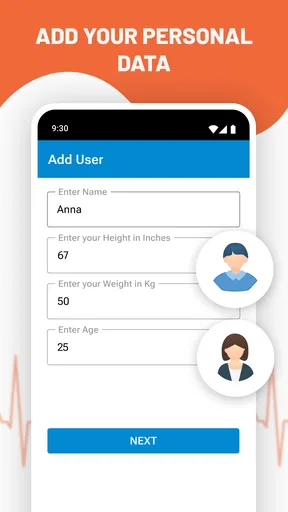
During setup, you input some basic information about your health and diabetes type. It’s straightforward, and it sets the stage for a personalized experience. The app then offers a quick tutorial to guide you through its features. Trust me, even if you're not a tech whiz, you’ll find it user-friendly.
Tracking Your Blood Sugar
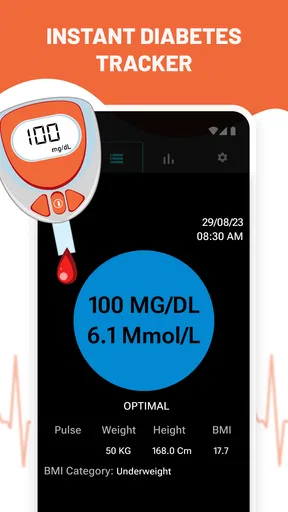
The main feature of this app is, of course, the blood sugar tracking. You can log your glucose levels with just a couple of taps. There's an option to add notes, which is perfect for those moments when you want to remember what might have influenced a particular reading. Maybe you indulged in that extra slice of cake? No judgment here!
One of the standout features is the ability to set reminders. We all have those days when life gets hectic, and this app ensures you don’t forget to check your levels. Plus, the reminders are customizable, so you can set them to ping you at the most convenient times.
Analyzing the Data
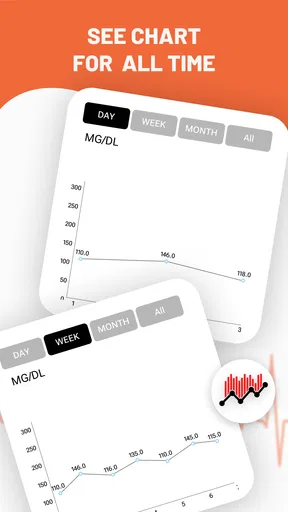
Now, onto the data analysis aspect. The app provides detailed graphs and charts that help you visualize your blood sugar trends over time. I found this incredibly helpful for spotting patterns. Perhaps you're noticing a spike every afternoon? The app helps you see that at a glance.
It also offers insights based on your logged data. For example, it can suggest changes to your routine or diet if it notices consistent patterns. It’s like having a little coach in your pocket, cheering you on!
Additional Features
Apart from tracking and analysis, the app includes a medication log and meal diary. This is super handy for keeping everything in one place. You can log what you eat and the medications you take, which is crucial for managing diabetes effectively.
Sharing data with your healthcare provider is another feature I found really useful. With just a few taps, you can export your data and share it with your doctor. It’s a great way to ensure you’re getting the most out of your medical appointments.
Final Thoughts
All in all, Blood Sugar Diary for Diabetes is a robust tool for anyone managing diabetes. It offers a comprehensive suite of features that make tracking and managing your condition easier and more effective. The app not only simplifies the process but also empowers you with the data you need to make informed decisions about your health.
So, if you're looking for a digital companion to help you on your diabetes journey, this app might just be your new best friend. Give it a whirl, and see how it fits into your routine. Happy tracking!
Making the record work for you
My practical advice is to decide what you want each entry to help you remember before you start logging. A short note such as “after lunch” or “before walk” may be more useful later than a long description written in a hurry. If there is a concern you want to raise at an appointment, note it in plain language alongside the relevant reading. That makes the diary easier to use as a conversation aid without asking it to make medical decisions for you.
When deciding whether to keep using it, I would focus on whether recording feels sustainable after the initial setup. A diary only becomes informative when entries are reasonably consistent, and a complex routine can quickly become a burden. If logging everything feels overwhelming, prioritize the readings and details your care team has asked you to track rather than trying to create a perfect record. People who need automatic device syncing, specialized accessibility support, or a particular clinical reporting format may be better served by a different tool chosen with their clinician.
For someone who wants a simple place to build and review a glucose history, this app is worth considering. Its strongest appeal is the combination of readings, notes, and related health details in one personal record. I would still test the text and charts for comfortable reading, keep reminders aligned with an established plan, and treat any trend as a reason to ask a better question—not as a substitute for professional guidance. That makes it a more inclusive and sensible companion for the people whose routines and abilities fit its approach.
Verdict
Strengths of Blood Sugar Diary for Diabetes
- Easy-to-use interface for all ages.
- Customizable reminders for glucose checks.
- Syncs data with health apps seamlessly.
- Provides detailed trend analysis.
- Secure data storage with backup options.
Limitations of Blood Sugar Diary for Diabetes
- Limited food database for carb tracking.
- No integration with fitness wearables.
- Ads in free version can be intrusive.
- Requires manual input for all data.
- Lacks community support features.
Other Releases by Cards
View All
Cards - Mobile Wallet
Productivity4.6

Drawing Pad Lite - Artbook
Art & Design4.5

Phone Mirror app - True Mirror
Beauty4.6

Ghost Detector Pro Radar
Entertainment4.6
Similar Picks in This Category
View All
WebMD: Symptom Checker
WebMD, LLC4.1

Microphone Amplifier
DOSA Apps4.2

Anatomy Learning - 3D Anatomy
3D Medical OU4.5

Period Tracker and Calendar
SimpleInnovation4.9

GoodRx: Prescription Coupons
GoodRx4.8

CVS Health
CVS Pharmacy4.5
Frequently Asked Questions
What features does Blood Sugar Diary for Diabetes offer?
Blood Sugar Diary for Diabetes provides comprehensive features for tracking blood glucose levels, insulin intake, meals, and physical activity. The app also offers customizable reminders for medication and tests, data export for sharing with healthcare providers, and insightful analytics to help you understand trends over time.
Is Blood Sugar Diary for Diabetes suitable for all types of diabetes?
Yes, Blood Sugar Diary is designed to support individuals with Type 1, Type 2, and gestational diabetes. The app allows customization of parameters to fit different treatment plans and lifestyle needs, making it a versatile tool for managing various forms of diabetes effectively.
How secure is my personal health information in this app?
Blood Sugar Diary for Diabetes takes user privacy seriously. It employs robust encryption methods to protect your data and complies with relevant privacy regulations. Users can also set up password protection or biometric authentication to ensure their personal health information remains secure.
Can I sync Blood Sugar Diary with other health apps or devices?
Yes, Blood Sugar Diary can be synced with various health apps and devices, such as fitness trackers and smart glucose meters. This integration helps consolidate your data in one place, providing a comprehensive view of your health metrics and improving the accuracy of your diabetes management.
Is there a cost to download or use Blood Sugar Diary for Diabetes?
Blood Sugar Diary offers a free version with essential features. However, there is a premium subscription available that provides additional features such as advanced analytics, ad-free experience, and priority customer support. Users can choose the plan that best fits their needs and budget.
